
Time movementWindows x64 · VST3 · v0.1.0
CHRONOMORPH
Make time move. Keep the beat.
A creative time-movement effect. CHRONOMORPH slows, rushes and bends playback inside a musical cycle — and always brings it back on the beat at the cycle boundary.
- Modes
- Tape · Stretch
- Cycle
- 1/4 bar — 4 bars
- Licence
- Perpetual · 3 machines
- Demo
- Free · no account
Product dossier
Know its character.
Reason to exist
A different
sense of time.
Turn the timing of a recorded part into something you can play with. Drag it, rush it, then meet the grid again at the cycle boundary.
The point: reshape the feel of a phrase without leaving its next cycle behind.
The maker’s profile. Our subjective view of the design — positions on a spectrum, not performance scores.
Exploration
08 / 10Compose with timing itself, from a leaning groove to a bent phrase.
Learning curve
04 / 10Start with Amount and a preset; open the editor when you want more control.
Transformation
08 / 10Small pushes are welcome. Full varispeed dives are part of the territory.
Specificity
09 / 10One clear job: movement inside a cycle, with timing restored at its boundary.
Hands-on control
07 / 10Generate a motion, draw your own, then automate the parameters in your DAW.
The practical details. A quick reference for your session.
- Function
- Creative time movement
- Engines
- TAPE · pitch follows speed
STRETCH · pitch stays locked - Cycle range
- ¼ bar to 4 bars
- Timing
- Displacement returns to zero at the cycle boundary
- Motion
- Drawn curves or generated patterns
- Automation
- All parameters exposed to the host
- Platform
- Windows 10 / 11 · x64 VST3
- Sample rates
- 44.1–192 kHz
- Live input
- Designed for playback and mixing. Look-ahead latency makes it unsuitable for live monitoring.
A place in your session
When the groove is the idea.
For recorded loops, vocal phrases, synth patterns and transitions that need a push, a pull or a new sense of motion.
Know the limits
Make room for look-ahead.
Use it during playback and mixing. Rushing needs future audio, so tracking and live monitoring are outside its brief.
Behind → Ahead → Zero
Three states, one cycle
Behind
It drags
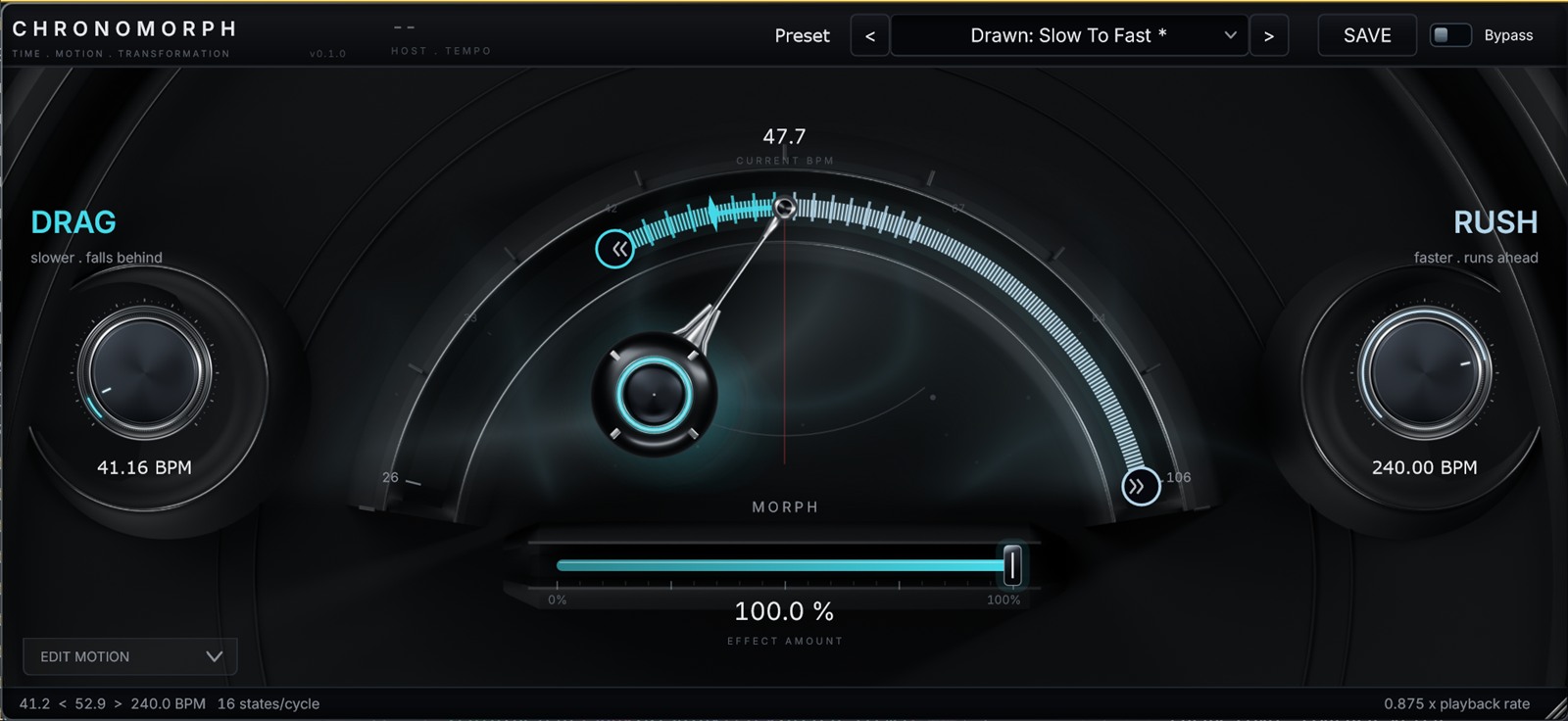
Playback slows down and falls behind the grid. The groove leans back and the take feels heavier.
Ahead
It rushes
Playback speeds up and pushes in front of the grid. The same bar suddenly sounds urgent.
Zero
It lands
At the end of the cycle the timing is back to zero. Nothing drifts, nothing needs nudging.
Bend the bar. Keep the grid.
Move time as far as you like inside the cycle. CHRONOMORPH puts it back where your project expects it, so you can print the take and carry on mixing.
Two engines
Pitch follows, or stays put
TAPE
Pitch follows
Varispeed. Speed and pitch move together, the way a reel does when you lean on it. For drops, dives, drunk swing and anything that should sound physical.
STRETCH
Pitch locked
Time-stretch. The key stays put while the groove bends underneath it. Pitch follow blends between locked and full tape behaviour.
Five controls
Everything else is a detail
Amount
Depth of the whole time movement, from a barely-there push to a full varispeed dive.
0 — 100 %Inertia
How willingly the movement changes. Snap between states, or glide like something with weight.
Snap — glideMotion
The shape of the cycle. Paint it by hand, generate it rhythmically, or recall a factory motion.
Paint / Generate / PresetCycle
The musical window the movement lives in — and the point where it has to be back in time.
1/4 bar — 4 barsMix
Parallel blend against the untouched signal, for doubling, flams and half-committed grooves.
0 — 100 %
Built for the session
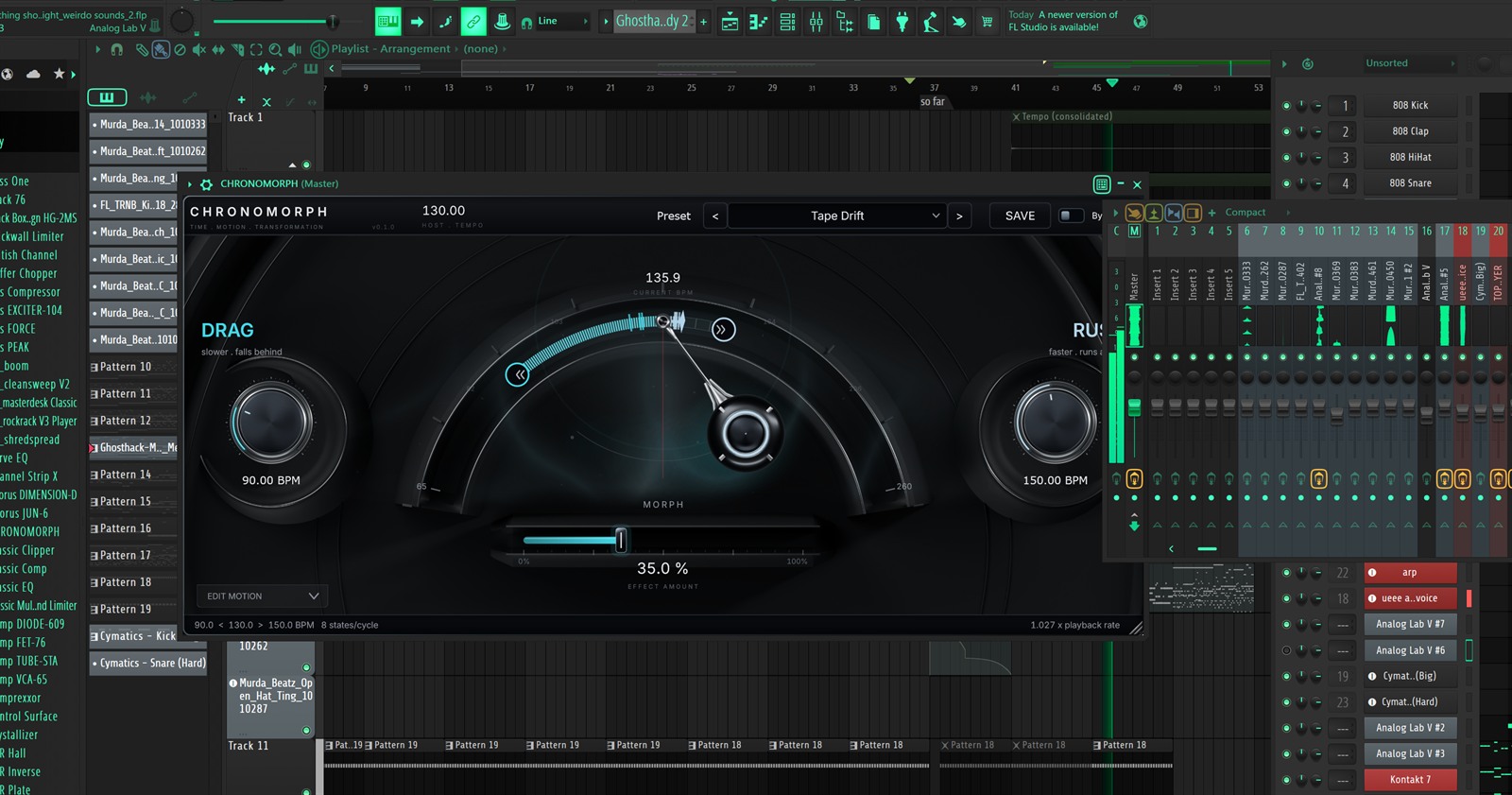
Compact or full editor
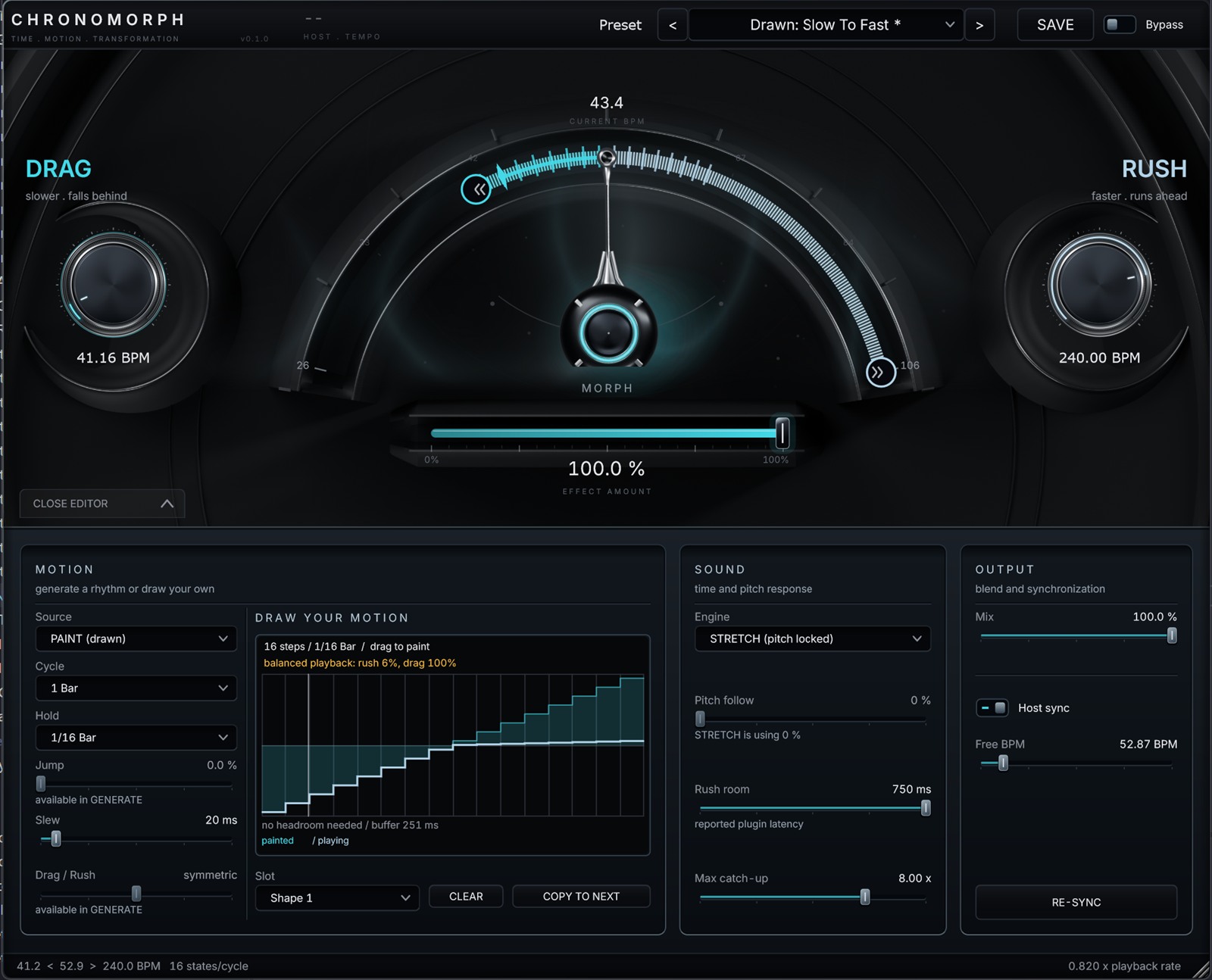
Draw your motion
Drag to paint the movement across the cycle. Four slots, copy forward, clear in one click.
Or generate it
Build rhythmic movement from a few settings and a symmetric or lopsided drag / rush balance.
Host sync or free run
Follow the transport, or set a free BPM and re-sync on demand for sound design outside the grid.
Readable at a glance
Tempo, playback rate and balance sit on the panel, so you always know what the plugin is doing.
Factory presets
Twelve motions to start from
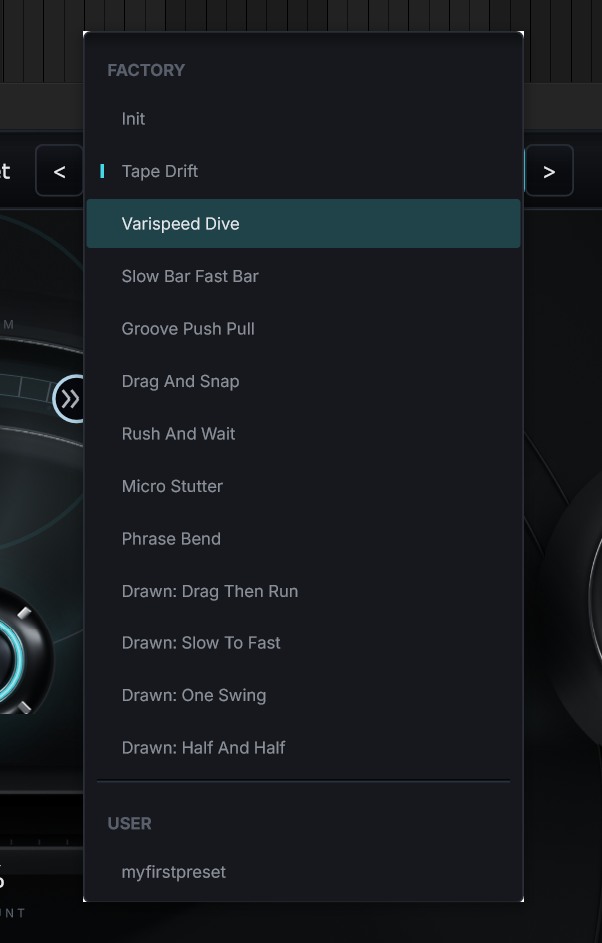
Tape Drift, Varispeed Dive, Slow Bar Fast Bar, Groove Push Pull, Drag And Snap, Rush And Wait, Micro Stutter, Phrase Bend and four drawn shapes. Save your own next to them.
Hear it
Dry vs CHRONOMORPH
Drum loop
Tape mode, drag and snap
SoonVocal phrase
Stretch mode, pitch locked
SoonSynth arp
Micro stutter, 1/4 bar cycle
Soon
Audio demos are being finalised — same bar, same grid position, one A/B switch each.
Coming soon
Checkout and demo are not open yet
Full licence
$49.99
- Perpetual licence, no subscription
- Up to 3 machines per licence
- Free updates within version 1.x
- Windows 10 / 11 x64 — VST3
Demo
Free
- Full engine, all modes and presets
- No account required to try
- Same installer, activates with your serial
- Installs alongside the licensed build
Installer — Windows x64 VST3
System requirements
- Operating system
- Windows 10 / 11, 64-bit
- Format
- VST3 (x64) — 64-bit hosts only
- Sample rates
- 44.1 – 192 kHz
- Latency
- Reported to the host
- Tested hosts
- FL Studio, Ableton Live, Reaper, Cubase, Studio One
- Activation
- Serial, online. Up to 3 machines per licence
- macOS
- Not in this release
One licence, three machines
Install & activate
Your serial activates CHRONOMORPH on up to three machines at the same time — studio, laptop, and one spare. Deactivate a slot from inside the plugin to free it for a new machine.
Licences are personal and permanent. A reinstall does not cost you a slot as long as you deactivate first; if a machine is lost, support resets the slot for you.
- 01Download the installer
- 02Run it — the VST3 is installed
- 03Rescan plugins in your DAW
- 04Paste your serial once
Questions
Will my audio stay in time?
Yes. However far the movement goes inside the cycle, the timing is back to zero at the cycle boundary, so every bar starts locked to the grid.
Does it work on live input?
It is designed for playback and mixing. Because rushing needs look-ahead, the reported latency makes it unsuitable for tracking or live monitoring. Use it on recorded material, loops, busses or the master.
Will it change the pitch?
Only if you want it to. TAPE moves pitch with speed like a varispeed machine. STRETCH keeps the key fixed, and pitch follow blends between the two.
Can I automate the parameters?
All parameters are exposed to the host for automation and saved with the project.
Is there a macOS version?
Not in the first release. CHRONOMORPH ships as a Windows x64 VST3. Other platforms and formats are on the roadmap, not yet dated.
I lost my serial. Now what?
Write to support@kontrastaudio.com from the address you used at checkout and we resend it. The same address handles machine-slot resets.
support@kontrastaudio.com · we answer within two working days
Make time move. Keep the beat.
CHRONOMORPH — Windows x64 VST3